TDT4140: Software development
This covers most of the curriculum for 2014V. I am now finished with my work here, and what isn't here, won't be here unless you add it. Enjoy! – Vages
Chapter 1: Introduction
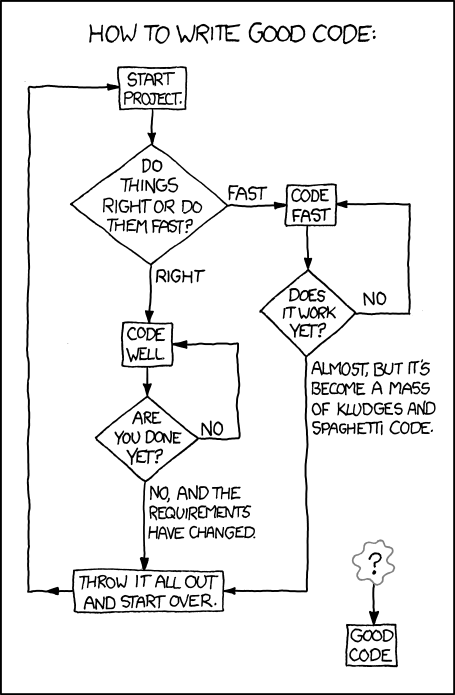 "You can either hang out in the Android Loop or the HURD loop." (xkcd 844: Good Code, CC-BY-NC 2.5 Randall Munroe)
What is software engineering?
- Software are computer programs and their associated documentation. They may be developed for a specific customer (customized products) or the general market (generic products).
- Software engineering is an engineering discipline concerned with all aspects of software production, from system specification to maintenance. This is opposed to computer science (which is more concerned with theories and fundamentals). It usually consists of four activities:
- Software specification: What will it do?
- Software development: Making it do it.
- Software validation: Does it do it?
- Software evolution: Modify the software after release to reflect new requirements.
- System engineering is more concerned with the whole. This includes aspects such as hardware and process engineering. Software engineering is a part of this process.
Why is it called engineering?
Software engineering is an engineering practice because it, like all other engineering disciplines, applies theories selectively to discover new solutions to problems within given financial constraints (hopefully). Good software engineering takes extra effort, but saves a lot of money because the software is more maintainable.
The process is concerned not only with the technical aspects, but also the surrounding factors, such as project management, choosing a good team and the right development methods.
Roughly 60% of software development costs are related to development and 40% go to testing.
The general attributes of software
Good software should strive to meet these requirements. It is not possible to meet all requirements to their fullest (e.g: higher security might mean less efficiency).
| Maintainability | Software should be written so that bugs can be fixed and it can evolve. |
| Dependability and security | The software should not cause damage when a faliure occurs, and malicious users should not be able to access or damage the system |
| Efficiency | Do not waste system resources. Strive for high responsiveness, short processing time etc. |
| Acceptability | The software should be understandable for users and compatible with systems they use |
What affects software engineering?
A lot of software is bad (and not in the Michael Jackson way). This is due to a lot of factors, such as:
- Increasing demand: The world wants software, but sometimes faster than what anyone could possibly deliver.
- Low expectations: Developers aren't used to using good methods and develop poor software. Users are used to mediocre results.
- Bad development methods: Factors such as customer contracts (or simply incompetence or fear of novelty) prevents teams from choosing the appropriate development methods. Certain development methods, such as the waterfall method, is old; it has a lot of important uses, but agile methods might in many cases be better.
Software engineering ethics
You should always follow these ethical guidelines.
| Confidentiality | Treat your customer's information as secret. Often you might sign a confidentiality agreement, but not necessarily. Regardless of that, don't be a dick. |
| Competence | Don't misrepresent your level of competence. It will catch up with you. |
| Intellectual property rights | Respect the copyright of other programmers and creative individuals. |
| Computer misuse | Misuse covers everything from playing games during working hours to spreading malware from customer computers. |
Chapter 2: Software processes
This chapter describes software processes. Software processes vary, but always includes these four activities:
- Software specification: What will it do?
- Software development: Making it do it.
- Software validation: Does it do it?
- Software evolution: Modifying the software after release to reflect new requirements.
As well, the descriptions might include some of the following:
- Products: The outcomes of process activites (models etc.).
- Roles: Different responsibilities that must be covered.
- Pre- and post-conditions: Something that must be true either before or after an activity starts, such as "Requirements approved by customer".
Software process models
The book looks at three models.
The waterfall model
The first published method of software development. Has five stages.
- Requirements analysis and definition: Services, constraints and goals are designed.
- System and software design: Establishes the architecture.
- Implementation and unit testing: The coding.
- Integration and system testing: Individual units are integrated and tested as a complete system.
- Operation and maintenance: Deployment of the product and updating it according to customer needs and discovered errors. Normally the longest phase.
Pro/contra:
- Advantages: Consistent with processes in other engineering areas, and might thus be very palatable to customers.
- Disadvantages: Bad decisions early in the process might grow and become very hard (read: expensive) to correct.
Incremental development
This model is based on developing an initial implementation, exposing this to user feedback and evolving it through several versions.
Incremental development says requirements must be defined beforehand, but agile methods only defines very minimalistic requirements beforehand and work out the more advanced on the way.
Pro/contra:
- Advantages:
- The cost of accomodating changing needs and correcting errors is reduced.
- It is easier to get customer feedback, because the customer can actually see the product.
- More rapid delivery; the customer can use an early version of the product very early.
- Disadvantages: This is not very well suited for complex, long-lifetime systems or systems where safety is critical.
Reuse-oriented software engineering
Most projects today reuses components. The phases of reuse-oriented software engineering are:
- Requirements specification: See The waterfall model
- Component analysis: A search is made for components that can implement the specifications.
- Requirements modification: Components may not match requirements exactly, and modifications can be made to the requirements.
- System design with reuse: Design the framework as well as new components for requirements that you couldn't find a match for.
- Development and integration: implement the newly designed components. Integrate the system.
- System validation: See The waterfall model
Pro/contra:
- Advantages: May be very cheap, depending on how much software is reused, how easy it is to integrate and how much it costs.
- Disadvantages: You lose some control over the software.
Process activities
Software specification
Understanding and defining what services are required from the system; identify constraints on the system’s operation and development. The aim is to produce an agreed requirements document. Usually this is provided at two levels: A higher level for customers and a level with more detail for the developers.
Four main activities
- Feasibility study: May the needs be satisfied using current software and hardware technologies. Is it cost-effective and feasible within the budget? This part should be quick and cheap.
- Requirements elicitation and analysis: Derive system requirements through observation of existing systems.
- Requirements specification: Translate the information gathered into a specification document. User requirements describe the demands of the users. System requirements is a more detailed description of the functionality.
- Requirements validation: Checks for realism, consistency, and completeness. Errors must be corrected.
Software design and implementation
Converting the system specification into an executable system.
Four activities that may be involved in the design process for information systems:
- Architectural design: Identify the overall structure of the system, the principal components, their relationships and how they are distributed.
- Interface design: Define the interfaces between system components – this must be unambiguous. This allows for concurrent development.
- Component design: Designing the individual component. May be a statement of expected functionality, with the implementation left to the programmer, or a list of changes that have to be made to a reusable component or a detailed design model (which might even be used to automatically generate an implementation).
- Database design: Making the database. Reuse an existing one or make a new.
Software validation
Showing that the software conforms to its specification and meets the expectations of the customer.
The stages of the testing process are:
- Development testing: The developers test the components independently. Often done automatically.
- System testing: After integration. Finding unanticipated errors in interactions between the components. Show that the system meets functional and non-functional requirements.
- Acceptance testing: (Alpha testing) The final stage before the system is ready for operational usage. The system is tested with real data, instead of simulated test data.
Software evolution
Keeping the software up-to-date and bug free. Development and maintenance are becoming more and more alike, because of increasing reuse of code in development and increasing demand for new features (not just error-correction) in the maintenance phase.
Coping with change
Change is inevitable. And it is expensive, because of rework (replacing already finished, but now irrelevant, parts). There are two approaches to reducing these costs:
- Change avoidance: The development includes activities that can anticipate possible changes before significant rework is required. Prototyping is an example of this.
- Change tolerance: The process is designed to accommodate changes at relatively low cost – normally involving incremental development.
Prototyping
An initial version of a software system that is used to demonstrate concepts.
A problem with prototyping with users, is that it may not necessarily be used in the same way as the final system:
- The tester may not be a typical user.
- The training time might be insufficient.
- If certain parts of it is slow, the user may avoid them. Functionality that might be useful, is thus not tested.
Incremental delivery
Incremental development means delivering the software in incremental versions with small improvements every time. It starts with the customer specifying their requirements and sorting them by order of priority. Small increments of the software is then planned. Each increment is then delivered to the customer, who may test it in practice.
Advantages:
- Customers can use the early increments as prototypes. This helps in refining later system requirements.
- Customers can begin to use the system before it’s completely finished.
- It is relatively easy to incorporate changes into the system.
- The most important parts get more testing (because they are in use from the start).
Disadvantages:
- It can be hard to identify common parts that are needed by all increments because requirements are not defined in detail until the element is to be implemented.
- When replacing an old system, it is hard to get new users to try out a new system with less features.
- Many organizations are unwilling to use incremental delivery methods, because they want to specify what they get beforehand.
Boehm's spiral model

Is a try at combining change tolerance with change avoidance. Has an outward spiral that spins through for sectors – each representing one stage in an increment – and the innermost circles being more concerned with system feasibility and so on.
The four sectors:
- Objective setting: The objects for that phase of the project are defined. Constraints are identified and a management plan is drawn up. Risks are identified and alternative strategies may be planned.
- Risk assessment and reduction: Detailed analysis for every identified risk. Steps to reduce risks.
- Development and validation: The development model for the system is chosen based on the previous stages.
- Planning: The project is reviewed and a decision made whether to continue with a further loop of the spiral.
The Rational Unified process
A modern process model that has been derived from the work on UML and the Unified Software Development process. A hybrid model.
The RUP models from the business perspective rather than the technical. There are four phases:
- Inception: Establish a business case for the system. Identify all external entities (people and systems) that will interact with the system and define these interactions. Use this information to assess the contribution to that the system makes to the business. If this is minor, the project might be cancelled after this phase.
- Elaboration: Develop an understanding of the problem domain, establish an architectural framework for the system, develop the project plan, and identify key project risks. This should result in a requirements model for the system (perhaps UML cases), an architectural description, and a development plan for the software.
- Construction: System design, programming, and testing. On completion of the phase, one should have a working software system and associated documentation that is ready for delivery to users.
- Transition: Moving the system from the development community to the user community and making it work in its real environment. On completion, one should have a fully working software system with complete documentation.
It also has some static workflows. These are activities that are separated from the phases – you have to do them when you see fit. See the book for a list.
Six fundamental best practices are recommended:
- Develop software iteratively.
- Manage requirements: State them explicitly.
- Use component-based architectures.
- Visually model new software: Using UML models.
- Verify software quality.
- Control changes to software.
Chapter 3: Agile software development

The fundamental characteristics of rapid software development approaches:
- Specification, design and implementation are interleaved. The user requirements document defines only the most important characteristics.
- The system is developed in a series of versions.
- User interfaces are often developed in an interactive development environment that allows for quick redesign.
Customers are often very involved in the process.
Agile methods
Agile methods were a response to huge overheads involved in plan-driven development. The basic principles are outlined in the Agile manifesto (very short; required reading).
The principles of agile methods:
| Customer involvement | The customer helps decide what is to be implemented when and evaluates iterations of the system. |
| Incremental delivery | The product is delivered in small increments. |
| Embrace change | Expect the system requirements to change. |
| Maintain simplicity | Keep the process and software simple (refactor code). |
Agile methods have been very succesful for some types of system development:
- Product development where a software company is developing a small or medium-sized product for sale.
- Custom system development within an organization. This makes the customer commit to the development process.
Agile methods are not well suited for critical and complex systems. It also requires all members to have a relatively high skill level.
Things that may come in the way of agile development: - Customers are not able or willing to participate. - Team members aren't comfortable for intense involvement. - Prioritizing changes can be difficult. - Maintaining simplicity requires extra work. - It is hard to gain a contract for agile development, because customers are skeptical; they like (or are required by superiors) to know what they buy up front.
Extreme Programming
Extreme Programming (XP) got its name because it pushed known agile practices to its extreme.
In XP, requirements are expressed as scenarios, called user stories, which are written on story cards. You can read more about this in agile planning.
During the planning game, questions that require further exploration are uncovered. This may require a spike, an increment in which no programming is done. Usually, this involves prototyping, documentation or designing the system architecture.
In a normal increment, the scenarios are divided into tasks and are taken on by programmers, who work in pairs. Tests are always developed before code, and code must execute all tests successfully to be implemented into the system.
Some advantages of pair programming:
- People feel collective ownership of and responsibility for the code.
- Code is reviewed and refactored while it written.
- For inexperienced programmers, it has been shown to be just as effective as programming alone. (Productivity drops a little bit when experienced programmers program in pairs).
Even if productivity seems to drop, the benefits of sharing the knowledge between programmers might be worth a few lines of code less per hour.
Agile project management
Scrum isn't as concerned with programming practices as XP and focuses more on management – the two are often combined.
Scrum has three phases:
- Outline planning: Establish general objectives for the project and design the software architecture.
- Sprint cycles: Each cycle develops an increment of the system.
- A sprint has a fixed length (2 to 4 weeks).
- The starting point is the product backlog, a list of work to be done. During the assesment phase, the product backlog is reviewed and priorities and risks are assigned to each task.
- The selection phase lets the whole team select the features and functionality that will be developed during the current sprint.
- When they have reached agreement, the team organizes themselves to develop the software. They hold short daily meetings to review progress and reprioritize.
- Ath the end of each sprint, the work is completed, reviewed, and presented to stakeholders. A new cycle begins afterwards.
- Project closure: Completing the required documentation and assessing the lessons learned from the project.
There is no project manager in Scrum, but there is a Scrum master who arranges the daily meetings, tracks the backlog, records decisions, measures progress, and communicates with customers and management.
Scaling agile methods
Some effort has been made to adapt agile methods to larger systems. However, this has not been very succesful. More complex systems require more analysis before the project starts. However, once some design has been made, it is possible to divide the work to be done into smaller parts that can be developed by smaller teams.
Chapter 4: Requirements engineering
 "I'm not sure if this is actually true" (xkcd 106: The Wright Brothers, CC-BY-NC 2.5 Randall Munroe)
The requirements are descriptions of what the system should do. Requirements engineering is the process of finding out, analyzing, documenting and checking requirements.
The term is not used consistently in the industry. We will divide requirements into two types:
- User requirements: Statements in natural language and diagrams of what services the system should provide and its constraints.
- System requirements: More detailed descriptions of the system's functions, services, and operational constraints. This should be defined in the system requirements document.
Functional and non-functional requirements.
| Functional requirements | Statements of services that the system should provide, how it reacts to certain inputs and behaves in certain situations. |
| Non-functional requirements | Constraints on the services or functions, such as response time, constraints on the development process, and standards. Often very critical: Imagine that your word processor took ten seconds from each keystroke to displaying it on screen. |
Customers often specify non-functional requirements in vague terms such as "The system should be easy to use". This should be replaced by certain metrics, such as "A user should be able to use the system's functionality within 4 hours of training". Speed requirements can be assessed through metrics such as bytes processed per seconds. (This can be a problem for customers, because they don't understand what computing terms mean.)
The hierarchy of non-functional requirements
There is a huge hierarchy of non-functional requirements:

The three main groups are:
- Product requirements: Specify or constrain the behavior of the software.
- Organizational requirements: Derived from policies and procedures in customers' and developers' organizations.
- External requirements: Regulatory requirements, legislative requirements and ethical requirements.
The software requirements document
This document is an official statement of what the system developers should implement. It should include both user requirements and detailed system requirements.
The level of detail depends on how critical the system is (more critical
Requirements specification
The process of writing down the user and system requirements document. They should be clear, unambigiuous, easy to understand, complete and consistent. Albeit these goals seem simple in theory, in practice it is hard to achieve them all at the same time in.
Some ways to specify:
| Natural language | The most used, because it is easy to understand, but potentially ambiguous. Try to adhere to a standard structure for each sentence. |
| Structured natural language | Each requirement is put in a specific form. |
| Design description languages | Languages similar to programming languages, but with more abstract features. Rarely used. |
| Graphical notations | Graphical models supplemented by text annotations. UML is an example. |
| Mathematical specifications | Based on mathematical concepts such as final state machines. Unambiguous, but customers don't understand it. |
Requirements engineering processes
Read the book …
Requirements elicitation and analysis
This is done after a feasibility system: You work with customers and end-users to find out how the software should be constructed.
Stages:
- Discovery: Interacting with stakeholders (the people who the system will affect) to discover their requirements.
- Classification and organization: Groups requirements into coherent clusters.
- Prioritization and negotiation: Prioritizing requirements and finding and resolving conflicts through negotiation with the customer.
- Specification: Requirements are documented and input into the next round of the spiral. (Documents might be produced).
This process might be difficult because:
- Stakeholders don't know what they want or can't formulate it.
- They speak from their own perspective and take certain things for granted. (Even though breathing is important for you as a human, you rarely describe this as a part of your day, do you?)
- Different stakeholders have conflicting requirements.
- Political factors influence stakeholders. A manager might want a system that increases his influence in the workplace.
- The environment of the organization might change.
Some activities you might do:
| Discovery | Gathering information about the required and existing system. Distilling the user and system requirements about this information. |
| Interviewing | Have both structured questions and open discussions with stakeholders. It is hard to know what people really want. They might for instance tell you that they always follow work procedures, but in reality they cut corners (due to time restrictions etc.) |
| Scenarios | Creating a description of a scenario of system interaction that users can relate to. Tells about the state of the system before interaction, what happens, and what might go wrong. |
| Use cases | Identify the actors involved in an interaction, viewed in a diagram. |
| Etnography | Studying people in their working environment to find out how they really act and what they really need. |
 Use case diagram (CC-BY-SA 3.0 Kishorekumar 62)
Requirements validation
The process of checking that the requirements actually define the system that the customer wants.
- Validity checks: A user might think that a system needs some specific functions. Further thought might bring to light that this is insufficient or can be replaced.
- Consistency checks: Checking that requirements aren't in conflict.
- Completeness checks: The document should contain all functions and constraints.
- Realism checks: Is this possible with current technology, budget and schedule?
- Verifiability: Are the requirements quantifiable (measurable)?
Techniques you might use to test this:
- Requirements review: The requirements document is analyzed systematically by a team of reviewers.
- Prototyping: An executable model is demonstrated to end users and customers.
- Test-case generation: Making tests for requirements often reveals problems.
Requirements management
Requirements for large systems are always changing. The problems you solve are often wicked problems, which are problems that cannot be completely defined. Changes might appear because business and technology changes or users are unsatisfied. Thus you need to keep track of requirements and how they change.
This requires:
- Requirements identification: Every requirement must have a unique identifier, so that it can be traced and cross-referenced.
- A change management process: Set of activites that assess the impact and cost of changes.
- Traceability policies: The relationships among requirements and between requirements and system design.
- Tool support: What tools to use to keep track of the requirements. They should be in a secure, managed, data store that is accessible to everyone involved in requirements engineering.
When a change is proposed, this process is followed:
- Problem analysis and change specification: You start with a problem or change proposal. This stage checks whether it is valid (i.e. worth caring about and possible to implement). If so, proceed.
- Change analysis and cost: The effect of the proposed change is analazed and the cost is analyzed. If worth it, proceed.
- Change implementation: Necessary parts of requirements and the system design are modified.
Chapter 5: System modeling
System modeling is the process of developing abstract models of the system. Each of the models present a different view or perspective of the system. This is usually done in UML (Unified Modeling Language), but it can also be done with mathematical models (these are not in the curriculum).
Models are useful for both discussing a proposed system and visualizing an an existing system.
The most essential UML models are:
- Activity diagrams: Show activities involved in a process. (Wikipedia)
- Use case diagrams: Show interactions between a system and its enviroment. (Wikipedia)
- Sequence diagrams: Show interactions between actors and the system, as well as between system components. (Wikipedia)
- Class diagrams: Show object classes and the associations between them. (Wikipedia)
- State diagrams: Show how the system reacts to internal and external events. (Wikipedia).
Context models
Early in the process of specification, you should decide the boundaries of the system: What should it do? Is this covered by an existing solution? Can functionality be left to manual processes or other software? A context model shows the relation between the system and other related systems.
An activity diagram will be used to show the flow of a system process, quite like a flowchart.
Interaction models
These models model the interactions between users and the system. This might be either use case models or sequence diagrams. You can read more about them in the introduction.
Structural models
Structural models display the organization of the system in terms of the components that make up the system, as well as their relationships. Static models show the system design; dynamic models show the organization of the system while it is executing (its different threads). These two kinds of diagrams might differ greatly for a system.
Class diagrams is a structural model that is used when developing an object oriented system. A box represents an object, and lines with different arrowheads show how they're associated. Class diagrams also helps the process of generalization: Classes that share common attributes, might have these attributes combined in a superclass that they all inherit from. When an object is composed of (i.e. contains) objects of another class, it is called aggregation.
Behavioral models
Behavioral models model the dynamic behavior of the system as it is executing. They show what happens (or, to be frank, what is supposed to happen) when a system respons to a stimulus from its environment. There are two types of stimuli:
- Data: Some data that the system should process arrives. The data from the tax processing has arrived.
- Events: Some event triggers the system. Events might have associated data. Your nuclear reactor has a meltdown. Along with it, you get a nice count of the radiation level measured in becquerels.
Data-driven modeling
The first method of showing the processing of input data was the data-flow diagrams, but these have been deprecated in newer versions of UML and replaced with activity diagrams (see above). The flow of data can also be shown in a sequence diagram.
Event-driven modeling
This is based on the assumption that a system has a finite number of states. Stimuli can cause a transition from one state to another. This is represented with a state diagram.
The problem with this is that the number of states can be large; imagine the state diagram for your operating system, for instance. One way to help tidy up the diagrams, is to combine several states into a superstate (which you elaborate in its own diagram).
Model-driven engineering
This is an approach to software engineering where models rather than programs are the principal outputs of the development process. The programs are generated automatically from the models.
- Pros:
- Allows engineers to think about the system without concern for low-level details. This reduces the likelihood of errors and speeds up the development process.
- Implementations for different platforms can be generated automatically.
- Cons:
- Abstractions you make for the model aren't always the right abstractions when implementing.
- The case for platform-independence isn't very relevant, because the main problem in developing a new system that might be ported to another platform largely lies in other parts of the implementation: Requirements engineering, security, and dependability.
You should make at least these three kinds of models in model-driven engineering:
- Computation independent model: Models the important domain abstractions used in the system. You might create more than one, each modeling its own part of the system.
- Platform independent model: Models the operation of the system without reference to its implementation.
- Platform specific models: Transformations of the platform independent model with a separate model for each platform. There might be several level, such as one level that is middleware-specific, but database independent. When a certain database system is chosen, you go deeper.
It is possible to make such models by adding information to UML diagrams to use them in model-driven engineering. This is done by an extension to UML 2, which is called xUML; this makes the semantics clear and contains a very high-level programming language to specify functions.
Chapter 6: Architectural design
Architectural design is understanding how a system should be organized and designing the structure of the system. This an important process in both agile and plan-driven development, because refactoring the architecture is mega-expensive. The non-functional requirements are the more dependent on the system architecture than the functional requirements.
Ideally, system components should be easy to separate. But as always, it is not as simple in practice, because boundaries aren't intuitive.
An architectural model is often used to:
- Facilitate discussion about the system design: Because of the lack of detail, it is useful for communications with stakeholders.
- Document an architecture that has been designed: The model is a complete system model that shows the different components, their interfaces, and their connections. This makes for easier evolution.
There are two levels of abstractions for architectural models:
- Architecture in the small: Concerned with the architecture of an individual program; organizing its components. Will be discussed in this chapter.
- Architecture in the large: Concerned with the architecture of complex enterprise systems that include other systems, programs and program components. Will be discussed in chapter 18 and chapter 19.
The advantages of designing a good system architecture:
- Stakeholder communication: Customers understand the system better.
- System analysis: The process makes the feasibility of the system clearer.
- Large-scale reuse: It is easier to see the potential for software reuse.
The architecture is often visualized in a block diagram (Wikipedia). The boxes within boxes are sub-components, and arrows represent data or control signals going from one component to another.
Architectural design
Architectural design is a creative process where you design a system organization that will satisfy the functional and non-functional requirements of a system.
Questions you should ask yourself:
- Is there a generic application architecture that can act as a template for the system?
- How will the system be distributed across a number of cores or processors? (When designing a system for PCs or embedded systems, you usually use only one core.)
- What architectural patterns or styles might be used? (Client-server, layered, etc.) Should be based on:
- Performance: If performance is critical, localize critical operations within a small number of components. Consider run-time system organizations that allow the system to be replicated and executed on different processors.
- Security: A layered structure is best if security is essential.
- Safety: If this is critical, all safety related operations should be located in a single or small number of components, thus reducing costs.
- Availability: If the system needs to always be available, there should be redundant components, so that parts can be replaced without the system shutting down.
- Maintainability: If this is critical, the architecture should have fine-grained, self-contained components that may readily be changed.
- What will be the fundamental approach used to structure the system?
- How will the structural components in the system be decomposed into subcomponents?
- What strategy will be used to control the operation of the components in the system?
- What architectural organization is best for delivering the non-functional requirements of the system?
- How will the architectural design be evaluated?
- How should the architecture of the system be documented?
Architectural views
Krutchen suggests that in addition to the block diagram, you make four additional views – this is called the 4+1 model. His four suggestions:
- Logical view: Shows the key abstractions in the system as objects or classes. It should be possible to relate the system requirements to entities in this view.
- Process view: Shows how the system is composed of interacting processes at runtime.
- Development view: Shows how the software is broken down into components that can be implemented by a single developer or development team.
- Physical view: SHows the system hardware and how software components are distributed across the processors in the system. (Useful for systems engineers.)
This is rarely done in agile methods. The book's author comments that for plan-driven development, the problem is that they're often made, but rarely used …
Architectural patterns
An architectural pattern is a stylized, abstract description of good practice, such as the Model-View-Controller pattern (MVC) (Wikipedia).
Layered architecture
Separation and independence are fundamental to architectural design, because they allow changes to be localized. MVC is an example of a layered architecture.
The basic idea and aim of a layered architecture is that each layer communicates (only) with the layers directly above or below. This means that if you have to replace the component or redesign the interfaces, you only have to worry about its adjacent components.
There is no clear-cut definition of what a layer should contain. It is always possible to make more or fewer.
Repository architecture
A repository architecture is organized around a shared database or reporitory. The integrated development environment you use to program (such as Eclipse) is an example of this: All the components make use of the same data, but none of them are interacting on top of one another. A repository architecture needs a standard way for the components to interact with it – this is called a schema. This architecture is only a static structure, and does not show the run-time organization.
Client-server architecture
A very common run-time organization. A system that follows this pattern is organized as a set of services and associated servers, with clients that access and use the services. You're probably using an architecture of this kind right now: Wikipendium is delivered to you by a server, and you are a client, accessing it through your web browser.
Major components:
- Servers that offer services to other components.
- Clients that call on the services offered by the servers.
- A network that allows the clients to access these servers.
Pipe and filter architecture.
A pipe and filter pattern is a run-time organization of a system where functional transformations process their inputs and produce outputs. Imagine a traditional assembly line, and you've pretty much got it down. This may seem a bit dull, but when doing batch processing, such as checking taxes or processing customer orders, you don't need to make things harder than they are. As you might imagine, it is not very useful for interactive applications.
Chapter 7: Design and implementation
(Never mind the comic: The content (as well as cake and grief counseling) will be available at the end.)
"This is why you shouldn't interrupt a programmer"

(CC-BY-NC-ND 2.5, Jason Heeris)
The design and implementation is the stage at which an executable software system is developed. For some simple systems, all activities are merged into this phase. In larger, complex, and/or critical systems, this is just one stage in the process.
Design is the process of finding a solution. Keep it somewhere, such as a UML diagram (or your head). Implementation is the process of turning that idea into computer code.
Object-oriented design using the UML
Object-oriented design involves designing object classes and the relationships between them. The advantage of an object oriented design is that it is very easy to change.
Prerequisites:
- Understand and define the context of and the external interactions with the system.
- Design the system architecture.
- Identify the principal objects in the system.
- Develop design models.
- Specify interfaces.
These things are done interleaved.
System context and interactions
Understanding the context and interactions is essential. Two different models:
- System context model: A structural model that demonstrates the other systems in the environment of the system being developed. (E.g. block diagram.)
- Interaction model: A dynamic model that shows how the system interacts with its environment as it is used. (E.g. use case diagram.)
Architectural design
The information from the last step is used as a basis for designing the system. You can read all about this in chapter 6.
Object class identification
Identify the objects and operations. Some ways:
- Grammatical analysis: Look at your requirements specifications. Nouns will probably make great objects and verbs great methods.
- Use tangible entities (i.e. things) in the application domain, such as "bike", "aircraft", "evil supercomputer" or "cake" and translate them to objects.
- Scenario-based analysis: Look at each scenario and the various objects required for that scenario.
Design models
These models show the objects or object classes in a system.
- Structural models: Describe the static structure, e.g. a class diagram. You can read about these in chapter 5.
- Dynamic models: Show the interactions between system objects.
The book recommends three models:
- Subsystem models: Show the logical groupings of objects into coherent subsystems. A class diagram with packages, each a collection of objects. (An example of a static model.)
- Sequence models: Shows object interactions. These are dynamic models, e.g. UML sequence diagrams or collaboration diagrams.
- State machine model: Shos how individual objects change their state in response to events. Represented in UML state diagrams, a dynamic model.
Be careful to keep these models simple; a lot of problems can easily be figured out on the fly by your programmers.
Interface specification
The process of designing how the objects will communicate. This is done in UML. An interface looks like an ordinary class, but they don't have any attributes, only methods. They also have guillemets around their class names, e.g. «CrowBar».
Design patterns
A design pattern is a pattern for solving a problem, made available for reuse. Useful for object-oriented design.
The essential elements: - A meaningful name. - A description of the problem area that explains when the pattern can be applied. - A solution description of the parts of the design solution, their relationships, and their responsibilities. Just a template – not a concrete description. Very likely to be graphical. - A statement of the consequences (results and trade-offs).
A good example is the Observer pattern, which solves the problem of telling several objects that the state of some object has changed.
Implementation issues
Some things you will probably need to think about …
Reuse
Reuse is now very widespread, and can occur both in the reuse of abstractions, components, or entire systems.
Usually, this leads to cheaper and more reliable software, but beware:
- Time is used to find software and assess whether it meets your needs.
- Buying reusable software may be expensive.
- Adapting and configuring components costs cash.
- Integration of your own code with the reused software also takes time.
Configuration management
The general process of managing a changing software system. Consists of three fundamental activites:
- Version management: Keeping track of the different versions of software components.
- System integration: Developers define what components are used to create each version of a system.
- Problem tracking: Allows users to report bugs and other problems. Developers should see who is working on these probles and when they are fixed.
Host-target development
Because the software is developed on one system and executed on another, you have to take into account differing operating systems, hardware, and software.
Your software development software (sic) should provide tools to help you with this, such as: - An integrated compiler and syntax-directed editing system. - A debbuging system. - Graphical editing tools (for things such as UML models). - Testing tools, such as JUnit, that test code automatically. - Project support tools, which help organize the code for different development projects.
These are often collected in one Integrated Development Environment, such as Eclipse.
Open source development

Open source means publishing the code with an invitation for anyone to contribute. The benefits are low cost and high reliability, but this requires that there is an active community of people interested in contributing the code (mostly because they're using it themselves). However, if you are a small company, the customers might trust you more if you make open source software – if you go out of business, they can still ask others to develop the code.
Open source licensing
The different open source licenses affect how you have to publish the products that contain the code:
- The GNU General Public License (GPL): If you use this code in any way, you must license your new software under the same terms (i.e. open source code and GPL it).
- The GNU Lesser General Public License (LGPL): A variant of the GPL that allows you to link to the open source components that you used, but still have your new components closed source. However, if you modify the open source components, you must publish your modified source code.
- The Berkley Standard Distribution (BSD) license: You are not obliged to republish any changes or modifications made to the open source code. You can also include it in proprietary and commercial systems, and the only thing you have to do is acknowledge the original creator.
Chapter 8: Software testing
"More efficient, less costly than unit tests", Commit Strip
The testing process tests a program with artificial data. It has two distinct goals:
- Validation testing: Demonstrating to both developers and customers that the software meets its requirements. There should be one test for every requirement.
- Defect testing: Testing the system to discover situations in which the behavior of the software is incorrect or not conforming to standards.
Testing shows the presence, not the absence of bugs – Edsger W. Dijkstra (Wikiquote)
The testing process is part of the process of verification and validation (V&V). They are not the same thing:
- Validation: Are we building the right product?
- Verification: Are we building the product right?
The overall goal of V&V is to see if the software is fit for purpose. How fit it is depends on:
- Software purpose: The more critical the software, the more reliable it should be.
- User expectations: Users are familiar with new software being unreliable (which gives you some slack!), but further into the lifespan, they expect it to be reliable.
- Marketing environment: In a competitive environment, a software company may decide to release a program before it has been fully tested and debugged because being first is more important. (Spotify was released only a few months before Wimp; ask your friends what they are using.)
Testing is a dynamic technique, but there are also static techniques, which don't execute the software. Inspection is one such technique. Why do we need inspection?
- Masking: When testing, one error can mask another error. This means that for the inputs you give, you get correct outputs, but because of things under the hood, this will not be the case for all inputs that will occur. Inspecting the code will (hopefully) reveal this.
- Incompleteness: Your software isn't complete, and developing tests for the incomplete software might be throwing money out the window.
- Broader quality attributes: Certain attributes can never be measured in terms of a boolean "success/failure" rating. Inspection can reveal suboptimal solutions when it comes to adherence to standards, ease of maintenance, efficiency, etc.
This chapter will focus on testing processes (that is, not inspection).
In traditional plan-driven development, test cases specify inputs, expected outputs and state what is being tested. Software is typically tested in three stages.
- Development testing: Testing during development to discover bugs and defects. Done by designers and programmers.
- Release testing: A separate testing team tests a complete version of the system before it is released to users.
- User testing: Potential users test it in their own environment.
Testing is mostly an automated process, but some manual testing is always required.
Development testing
This process includes all testing activities that are carried out by the team developing the system. Usually done by the developer, but sometimes each developer gets an associated tester.
There are three levels to development testing:
- Unit testing: The individual program units or classes are tested. Concerned with objects and their methods.